Author: sitemill_worker

  • Yoga: Sun Salutation for Beginners

    Yoga: Sun Salutation for Beginners

    From Kernel Panic to Downward Dog: A SysAdmin’s Guide to Sun Salutation (Surya Namaskar)

    As system administrators, our posture often mirrors the “broken pipe” error: hunched over mechanical keyboards, neck craned toward multiple monitors, and shoulders carrying the weight of a production environment that refuses to stay stable.

    We treat our servers with meticulous care—monitoring heartbeats, managing resource allocation, and ensuring optimal uptime. Yet, we often neglect the hardware that actually runs our scripts: our own bodies.

    Today, we aren’t patching a legacy kernel or troubleshooting a load balancer. We are performing System Maintenance on the Human OS. We’re talking about Sun Salutation (Surya Namaskar).


    What is Surya Namaskar? (The Architectural Overview)

    Think of Surya Namaskar as a shell script for your body. It is a sequence of 12 yoga poses (asanas) that transition fluidly. It is designed to mobilize every major joint, stretch the posterior chain (which is often compressed by hours of “chair-time”), and sync the internal process (breath) with the execution (movement).

    The Technical Benefits:

    • Latency Reduction: Increases blood flow to the brain, clearing the “mental cache.”
    • Hardware Lubrication: Increases synovial fluid in the joints (essential for avoiding RSI).
    • Load Balancing: Shifts the body from the Sympathetic Nervous System (fight or flight/panic mode) to the Parasympathetic (rest and digest/stability mode).

    The Execution Plan: A 12-Step Routine

    Before running this sequence, ensure you have sufficient “disk space” (a mat or a clear patch of floor).

    1. Pranamasana (Prayer Pose)

    • The Action: Stand tall, palms together at the chest.
    • SysAdmin Tip: This is your init sequence. Establish a baseline. Check your posture. Ground yourself.

    2. Hastauttanasana (Raised Arms Pose)

    • The Action: Inhale, reach up, and gently lean back.
    • SysAdmin Tip: Open the chest. You’ve been slumped over; now, expand your chest capacity to allow for deeper, more efficient breathing.

    3. Hastapadasana (Standing Forward Bend)

    • The Action: Exhale, fold forward, hands to the floor.
    • SysAdmin Tip: Let the head hang. This releases the tension in the cervical spine—the “cables” connecting your brain to your body.

    4. Ashwa Sanchalanasana (Equestrian Pose)

    • The Action: Inhale, step your right foot back, drop the knee, look up.
    • SysAdmin Tip: This targets the hip flexors. If you sit for 8+ hours, your hip flexors are shortened. This is a manual reset for your lumbar support.

    5. Dandasana (Plank Pose)

    • The Action: Step the left foot back. Body in a straight line.
    • SysAdmin Tip: Engage the core. This is your “Load Stability Test.” Keep the back flat—do not let the lower back “sag” (that’s a configuration error).

    6. Ashtanga Namaskara (Salute with Eight Parts)

    • The Action: Lower knees, chest, and chin to the floor.
    • SysAdmin Tip: Keep the elbows tucked. Think of this as the “Power-Saving Mode.”

    7. Bhujangasana (Cobra Pose)

    • The Action: Inhale, lift the chest.
    • SysAdmin Tip: This is the “Firmware Upgrade” for your spine. Great for counteracting the “hunch” of a desk job.

    8. Adho Mukha Svanasana (Downward-Facing Dog)

    • The Action: Exhale, lift the hips into an inverted “V.”
    • SysAdmin Tip: This is the most crucial pose. Focus on pushing the floor away. It lengthens the entire backside of the body. If your hamstrings feel like a fragmented drive, this is your defrag tool.

    9-12. The Reversal

    Repeat steps 4, 3, 2, and 1 in reverse order (stepping the left foot back instead of the right) to complete the cycle.


    SysAdmin Best Practices for “Yoga Sessions”

    1. Don’t Force the Overclock: Do not force your body into a pose. If you feel sharp pain, that is a segmentation fault. Back off immediately.
    2. Maintain Consistent Uptime: Surya Namaskar is better as a daily background process than a massive, infrequent batch job. Even 5 minutes in the morning is better than an hour once a month.
    3. Sync Your Threads: If your movement is faster than your breath, your internal system will crash (get winded). Keep movement and breath perfectly synchronized.

    Final Thoughts

    You manage complex infrastructure every day. Don’t let your own body become “legacy hardware” that lacks documentation or support. Implement a routine of Sun Salutations. Your spine, your focus, and your production environment will thank you for the extra uptime.

    Log off, roll out your mat, and run the script.

    Questions? Errors in the sequence? Drop a comment below (or find me on the internal IRC channel).
  • Amiga: The Blitter: Why the Amiga could move Graphics faster than any 386

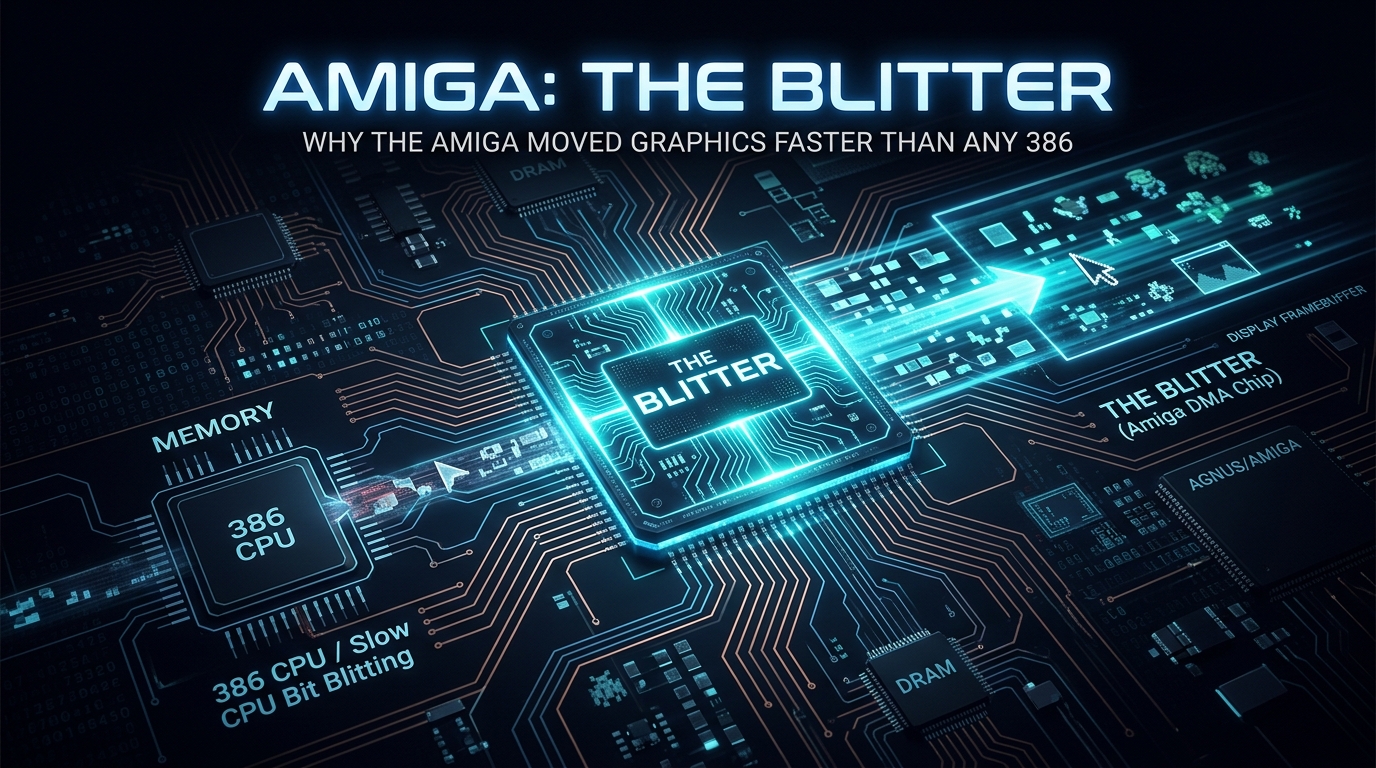
    Amiga: The Blitter: Why the Amiga could move Graphics faster than any 386

    Behind the Silicon Curtain: Why the Amiga’s Blitter Made the 386 Look Like a Typewriter

    If you talk to anyone who cut their teeth on 80s and 90s computing, they’ll tell you: The PC was for spreadsheets, but the Amiga was for living.

    While the IBM PC clones of the late 80s were wrestling with the overhead of the MS-DOS interrupt table and hammering the CPU for every pixel moved, the Amiga was doing something fundamentally different. It was architected as a “multimedia workstation” before that term was even a buzzword. At the heart of this superiority lay a custom co-processor that remains a marvel of engineering: The Blitter.

    Today, as a Linux SysAdmin, I look back at the Amiga not just with nostalgia, but with genuine technical awe. Let’s crack open the hood and see why the Blitter left the mighty 386 in the dust.


    The Bottleneck: The CPU Tax

    To understand why the Blitter was revolutionary, you have to understand the “CPU Tax.”

    In a standard PC architecture of the era (the 8088, 286, and even the 386), the CPU was the “Manager of Everything.” If you wanted to move a bitmap image—say, a sprite—from memory to the screen, the CPU had to perform the heavy lifting:
    1. Load a byte from source memory.
    2. Store that byte in destination memory.
    3. Increment pointers.
    4. Decrement the counter.
    5. Loop back.

    Doing this in software consumed massive CPU cycles. The more graphics you pushed, the less time the CPU had for game logic, AI, or sound. This is why many early PC games had choppy, “stuttery” movement.

    Enter the Blitter: The DMA Specialist

    The Amiga’s Blitter (Block Image Transferrer) was a hardware co-processor integrated into the Agnus chip. It was essentially a dedicated DMA (Direct Memory Access) engine designed for a single purpose: Moving blocks of data around memory without touching the 68000 CPU.

    The Blitter could perform memory copies, fills, and logical operations (AND, OR, XOR, etc.) at hardware speeds.

    1. Zero CPU Overhead

    When the Blitter was active, the 68000 CPU could be doing literally anything else. Because the Blitter operated via DMA, it “stole” cycles from the memory bus to perform its operations. While this sounds like a conflict, the Amiga’s architecture was designed so the Blitter and CPU were essentially “hand-shaking” perfectly. The CPU didn’t have to wait for the Blitter to finish; it just fired off a command packet and moved on.

    2. The Logic Engine (The “Minterm” Magic)

    The Blitter wasn’t just a “move” command. It had a logic unit that could process data as it moved.
    * Transparency: By using a logical “mask,” the Blitter could skip copying bits that represented the background color of a sprite. This is how you got transparent characters moving over complex backgrounds without needing a massive CPU-heavy “masking” routine.
    * Area Fills: The Blitter could fill a region with a solid color instantly—a task that would take a CPU thousands of cycles.

    Why the 386 couldn’t compete (even with more MHz)

    By the time the 386SX/DX arrived, it was significantly faster in raw clock speed than the Amiga’s 7MHz Motorola 68000. So why did the Amiga still beat it at graphics?

    It’s all about the Bus and the Bottleneck.

    The 386 was a “General Purpose” CPU. Even as clock speeds rose, it was still reliant on the software to define how pixels moved. In the PC world, “VGA graphics” was a dumb frame buffer. You wanted to move an object? The CPU had to calculate, move, and refresh.

    The Amiga, however, utilized Copper (Co-Processor) and Blitter in tandem.
    * The Copper handled the synchronization with the beam of the monitor, changing colors or registers mid-scanline.
    * The Blitter handled the heavy lifting of moving the pixel data.

    On a 386, the CPU was the bottleneck. On an Amiga, the CPU was free to calculate game physics or handle user input while the Agnus chip handled the visual display. The Amiga achieved “parallelism” while the 386 was still stuck in a serial, single-threaded paradigm.

    The System Administrator’s Perspective

    As an Admin, I see the Amiga as the grandfather of modern Offloading.

    Think about modern GPU acceleration or the way we use SmartNICs today to handle network traffic off the host CPU. The Amiga engineers—Dave Needle, RJ Mical, and the rest—understood that if you want a machine to be “fast,” you don’t just increase the clock speed; you distribute the workload.

    The 386 was a “Brute Force” machine. The Amiga was a “System Architected” machine.

    Final Thoughts

    We often measure “performance” by MIPS or GHz, but the Amiga proved that data movement efficiency is the true secret to responsiveness. The Blitter allowed the Amiga to handle hundreds of sprites and complex parallax scrolling while the CPU remained practically idle.

    The PC eventually caught up, but it did so by inheriting the Amiga’s ideology: moving the graphics off the CPU and into dedicated silicon. Today, every time your GPU renders a frame, you’re witnessing the legacy of the little chip that could—the Amiga Blitter.

    Stay tuned for the next post where we discuss how the Amiga’s sound architecture made sound cards obsolete for a decade.

  • Commodore C64: The $01 Register: Toggling the KERNAL and BASIC ROMs out of existence

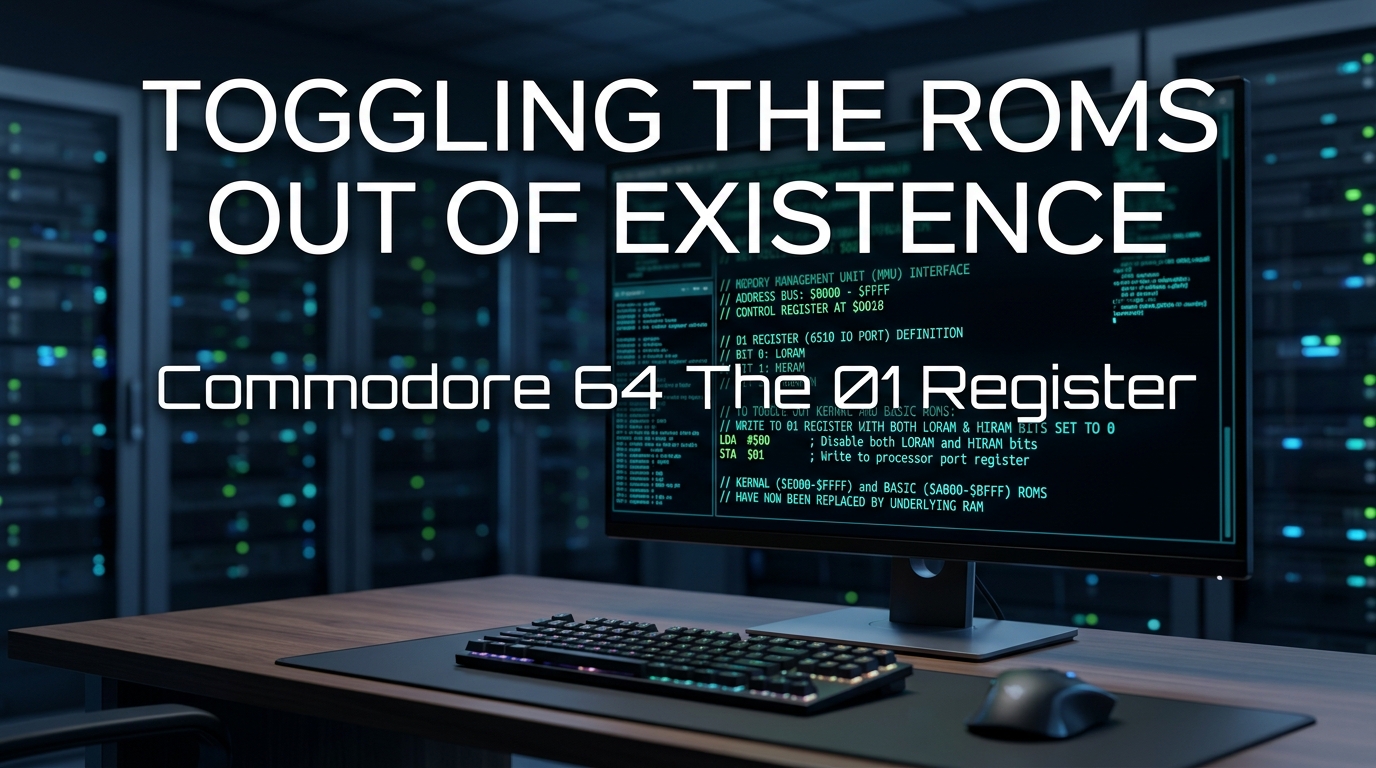
    Commodore C64: The $01 Register: Toggling the KERNAL and BASIC ROMs out of existence

    Beneath the Silicon: Unmasking the C64’s $01 Memory Bank Switching

    If you grew up in the 8-bit era, the Commodore 64 felt like magic. But as a systems administrator today, looking back at the C64 architecture, it wasn’t magic—it was a masterclass in memory-mapped I/O (MMIO) and hardware-level bank switching.

    While modern servers use sophisticated MMU (Memory Management Unit) logic to handle virtual memory, the MOS 6510 CPU in our beloved C64 had a much more “hands-on” approach. The key to unlocking the true potential of the machine lies in a single, unassuming memory address: $01.

    Today, we’re going to perform a deep-dive autopsy on how the C64 toggles its ROMs to reclaim precious RAM.


    The Problem: The 64KB Paradox

    The MOS 6510 CPU has a 16-bit address bus. This mathematically limits it to 64KB of addressable space. In 1982, shipping a 64KB machine meant you had to fit the OS (KERNAL), the language interpreter (BASIC), the character generator ROM, and the I/O registers (VIC-II, SID, CIA) into that same 64KB footprint.

    If you map the ROMs to those addresses, you lose the RAM underneath them. You’re essentially “blocking” access to the system memory.

    Enter Register $01: The Data Direction Register

    The CPU port at address $01 (and its configuration register at $00) acts as a hardware switch. By writing specific bits to $01, you can physically disconnect the ROMs from the address bus and “unmask” the hidden RAM residing beneath them.

    The Bitwise Breakdown

    The lower three bits of address $01 control the visibility of the ROMs and I/O:

    • Bit 0 (LORAM): Controls BASIC ROM visibility ($A000–$BFFF).
    • Bit 1 (HIRAM): Controls KERNAL ROM visibility ($E000–$FFFF).
    • Bit 2 (CHAREN): Controls Character ROM visibility ($D000–$DFFF).

    When these bits are set to 1, the ROM is mapped into the memory space. When set to 0, the ROM is disabled, and the underlying RAM becomes visible to the CPU.

    The “Oh Crap” Moment: The Interrupt Vector Trap

    As a sysadmin, I’m obsessed with interrupt handling. This is where the C64 architecture gets dangerous.

    The CPU uses the top of the memory space ($FFFA–$FFFF) to store vectors for hardware interrupts (IRQ, NMI, and RESET). If you flip Bit 1 (HIRAM) to 0 to disable the KERNAL ROM, you aren’t just turning off the OS—you are turning off the interrupt pointers.

    If an interrupt triggers while the KERNAL ROM is banked out, the CPU will look at the RAM beneath the KERNAL for the interrupt vector. If you haven’t copied your interrupt handlers there, the system will crash, usually resulting in a hard lock or a jump into random junk memory (garbage-in, garbage-out).

    The Sysadmin Protocol:
    Before flipping bit 1 to 0, you must:
    1. Disable interrupts (SEI instruction).
    2. Copy the interrupt vectors from the KERNAL ROM space into the corresponding RAM addresses.
    3. Perform your memory-intensive operations.
    4. Restore the KERNAL by setting bit 1 back to 1.
    5. Re-enable interrupts (CLI).

    Why would you ever do this?

    Beyond the “hacker cred,” there are legitimate architectural reasons:

    1. Massive Data Processing: By banking out the ROMs, you gain an additional ~16KB of usable RAM, bringing your total workspace to nearly the full 64KB. This was essential for high-end assembly programs, compilers, and complex games.
    2. Custom Kernels: Advanced developers (like those creating GEOS) would swap out the KERNAL entirely, replacing it with custom routines while still keeping the machine hardware-compatible.
    3. Performance: If you’re writing your own I/O routines, you don’t need the slow, generic KERNAL entry points. Disabling it clears the way for high-speed custom code.

    The Code (A Brief Peek)

    If you wanted to disable BASIC and the KERNAL to access all available RAM for a high-speed buffer, your assembly would look like this:

    lda $01      ; Load current port state
    and #$f8     ; Clear bits 0, 1, and 2 (Masking)
    sta $01      ; Write back to enable RAM in those zones
    

    Simple, elegant, and lethal if you handle the interrupts wrong.

    Final Thoughts

    Working with the C64’s memory mapping is the 8-bit equivalent of modifying your init process or recompiling the kernel to remove unused drivers. It’s about stripping away the abstractions provided by the OS to speak directly to the hardware.

    While we live in an era of gigabytes of RAM and protected memory space, there is something deeply satisfying about knowing exactly which transistor is being flipped to turn an OS on or off.

    Stay curious, and keep your registers clean.

  • Commodore 64: The 1541 Fastloader – A Computer within a Computer

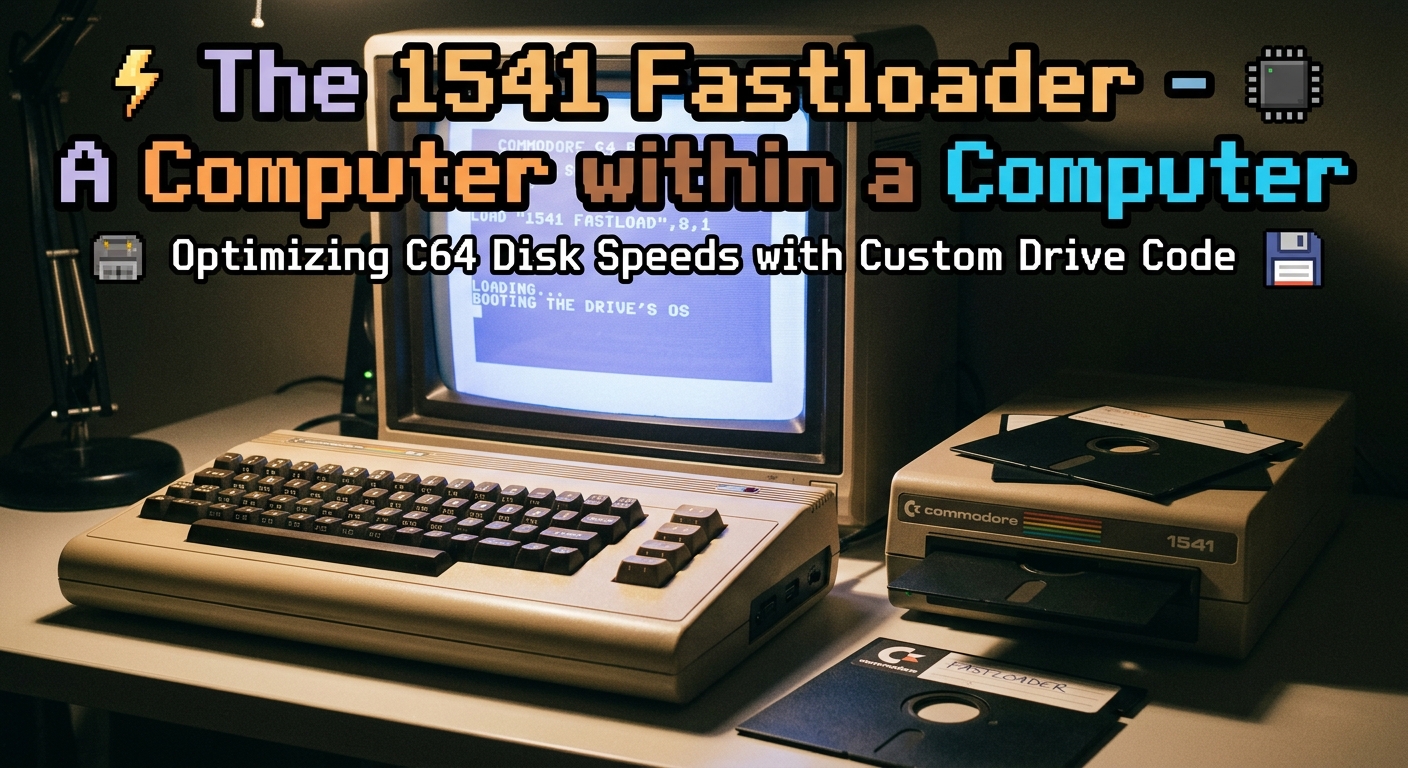
    Commodore 64: The 1541 Fastloader – A Computer within a Computer

    # Beneath the Bezel: The 1541 Disk Drive is a Computer, Not a Peripheral

    If you were a sysadmin in the mid-80s, your definition of a “peripheral” likely involved a room-sized mainframe or a bulky terminal. But for those of us who cut our teeth on the Commodore 64, we were introduced to a paradigm shift that still makes modern embedded systems look like amateurs: **the Commodore 1541 disk drive.**

    To the uninitiated, the 1541 was just a box that loaded your games. To the engineer, it was a profound lesson in distributed computing. The 1541 wasn’t a “dumb” drive; it was a standalone computer that happened to be attached to your C64 via a serial cable.

    ### The Hardware Bottleneck: A Serial Bus Nightmare

    The C64 utilized the **Commodore Serial Bus**—a proprietary, bit-serial implementation of the IEEE-488 interface. Commodore, in their infinite wisdom (and cost-cutting measures), implemented it in a way that was painfully slow.

    In a “vanship” state—using the stock C64 Kernal ROM routines—the serial bus performed at roughly **300 to 400 bytes per second**. To put that in perspective, a modern system administrator would consider that “latency” on a global ping. Why was it so slow? Because the protocol used a complex “handshaking” routine that required constant communication between the C64 and the drive’s CPU, managing line states one bit at a time, with massive overhead.

    ### The 1541 Architecture: A Computer in its Own Right

    Inside that beige, metal-shielded brick sat:

    * **A MOS 6502 CPU** running at ~1 MHz.

    * **2KB of RAM.**

    * **The DOS in ROM** (Disk Operating System).

    This wasn’t just a controller; it was a full-blown OS. When you typed `LOAD “*”,8,1`, the C64 sent a command, and the 1541’s internal CPU took over. It parsed the filesystem, managed the head-stepper motor, handled the GCR (Group Coded Recording) encoding, and managed its own error correction.

    The C64 was essentially offloading the entire disk management stack to a secondary machine. The problem? That secondary machine was spending 90% of its cycles waiting for the C64 to say “I’m ready for the next bit” and vice versa.

    ### The “Fastloader” Revolution: Hack the Protocol

    Developers quickly realized that the stock serial routines were the bottleneck. The “Fastloader” phenomenon was effectively an exercise in **bypassing the OS.**

    To speed up disk I/O, coders stopped using the Kernal routines entirely. They wrote custom machine-code drivers that would:

    1. **Bit-Bang the Serial Bus:** By directly manipulating the CIA (Complex Interface Adapter) registers, they ignored the standard handshake.

    2. **Synchronous Transfer:** They relied on precise timing loops to send data as fast as the hardware could physically latch it.

    3. **Buffer Hacking:** Some loaders even pre-loaded track buffers into the 1541’s meager 2KB RAM, anticipating the next sector request before the C64 even asked for it.

    The result? The transfer rate jumped from 400 bytes/sec to **3,000–5,000 bytes/sec**.

    ### Why this matters to the Sysadmin of today

    As a Senior Admin, looking back at the 1541 gives me a deep appreciation for **distributed systems and protocols**. We often take for granted the abstraction layers—TCP/IP, SCSI, NVMe protocols—that handle “read/write” operations for us.

    The 1541 taught a generation of programmers that:

    * **Abstraction is expensive:** The high-level Kernal routines were safe but agonizingly slow.

    * **Hardware/Software synergy is everything:** You couldn’t fix the 1541’s speed without understanding the electrical signal levels of the serial port and the instruction timing of the 6502.

    * **Protocol efficiency dictates performance:** The serial bus was inherently capable of much more, but it was being hamstrung by the rules of the handshake.

    ### The Legacy

    The 1541 fastloader was the 8-bit equivalent of writing a custom kernel driver to optimize disk I/O or tuning a TCP stack to handle high-bandwidth low-latency traffic. It was “bare-metal” optimization at its finest.

    So, the next time you’re troubleshooting an I/O wait issue on a high-end storage array, remember the 1541. Sometimes, the hardware isn’t the bottleneck—it’s how we’ve chosen to talk to it.

    *Keep your registers clean and your interrupts prioritized.*

  • Commodore C64: The 1541 Fastloader: Writing Custom Code for your Disk Drive’s CPU

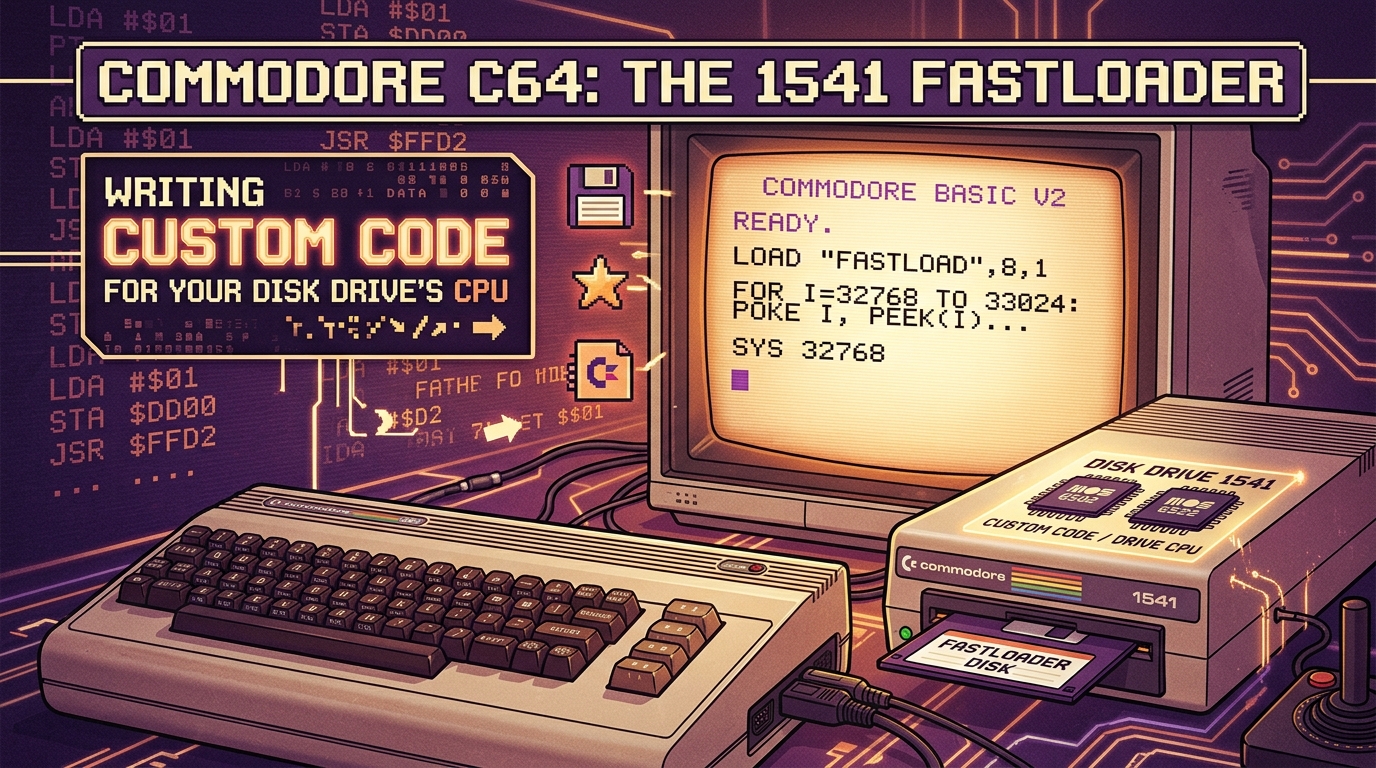
    Commodore C64: The 1541 Fastloader: Writing Custom Code for your Disk Drive’s CPU

    # Under the Hood: Unleashing the 1541 Disk Drive with Custom Fastloader Code

    If you grew up with a Commodore 64, you likely share a universal trauma: the agonizing wait for a game to load. The Commodore 1541 disk drive is a marvel of 1980s engineering, but it has a notorious bottleneck—its serial bus communication.

    In its “native” mode, the C64 and the 1541 communicate using a bit-banging protocol that is shockingly slow (approx. 400 bytes per second). Why? Because the drive is essentially a full-blown computer (MOS 6502 CPU, 2KB RAM, 16KB ROM) that is forced to spend most of its cycles babysitting the serial port.

    Today, we’re going to look under the hood at how developers bypass the stock ROM routines by **injecting custom code directly into the 1541’s RAM.**

    ### The Architecture: A Computer within a Computer

    The 1541 is a standalone system. When you command the C64 to `LOAD`, it sends a message over the serial bus. The drive’s MOS 6502 CPU listens, processes the request, and shuffles data from the disk head through its buffer into the serial port.

    The stock ROM routine uses a slow, handshaking method to ensure data integrity over the serial line. To speed this up, we need to:

    1. **Allocate space** in the 1541’s internal RAM (typically the $0300–$07FF range is fair game).

    2. **Upload** a custom binary payload that handles hardware-level bit manipulation.

    3. **Trigger** the new code via a jump instruction or an interrupt hook.

    ### Writing the Fastloader: The “Bit-Banging” Trick

    The goal of a fastloader is to use the serial lines (Data and Clock) in a way that minimizes handshaking overhead. Instead of acknowledging every single bit, we shift data in larger chunks or use timed protocols.

    Here is a simplified conceptual flow for a custom 1541-side routine:

    asm

    ; Minimal 1541 Fastloader Stub (Conceptual)

    * = $0300

    sei ; Disable interrupts

    loop:

    lda $1800 ; Read from disk controller

    ; … custom timing-sensitive bit shifting …

    sta $1800 ; Push to serial port directly

    jmp loop

    ### The Workflow: Injection

    You cannot simply “copy” files to the 1541. You must write a “loader” program on the C64 side.

    1. **The Handshake:** Your C64 program sends a `M-E` (Memory Execute) or `M-W` (Memory Write) command to the drive to prepare it to receive bytes.

    2. **The Blob:** The C64 sends your custom machine code byte-by-byte over the serial bus.

    3. **The Activation:** Once the code is in the 1541’s RAM, the C64 sends a jump command to the starting address (e.g., `U0` or `M-E`).

    4. **The Takeover:** The 1541 is now running *your* code, ignoring the factory ROM routines. It is now ready to blast data to the C64 at 5x to 10x the standard speed.

    ### Why This is “System Administration” for Retro Hardware

    As a SysAdmin, we are accustomed to optimizing kernel parameters or tuning network stacks for better throughput. Writing a 1541 fastloader is exactly that: **Kernel tuning for a disk controller.**

    You are dealing with:

    * **Race conditions:** The drive CPU has to read the disk head and write to the serial port simultaneously.

    * **Timing constraints:** The serial bus is sensitive to clock skew.

    * **Interrupt handling:** If you miss a cycle because an interrupt fired, your data stream corrupts.

    ### The Legacy

    This technique defined the C64 gaming scene. Titles like *The Last Ninja* or *Turrican* weren’t just great games; they were feats of low-level systems programming. Developers like Epyx (FastLoad) and various demo-scene groups pushed the 1541 to its physical limits, sometimes exceeding 3,000 bytes per second.

    If you’re interested in trying this, I highly recommend checking out [C64 Wiki](https://www.c64-wiki.com/) for memory maps and looking into the **Epyx FastLoad** source code, which is widely available in historical archives.

    **Happy Hacking (and let’s hope your head-alignment is set correctly).**

  • Commodore C64: Wavetable Synthesis on a 1MHz CPU: How Hubbard and Galway changed everything

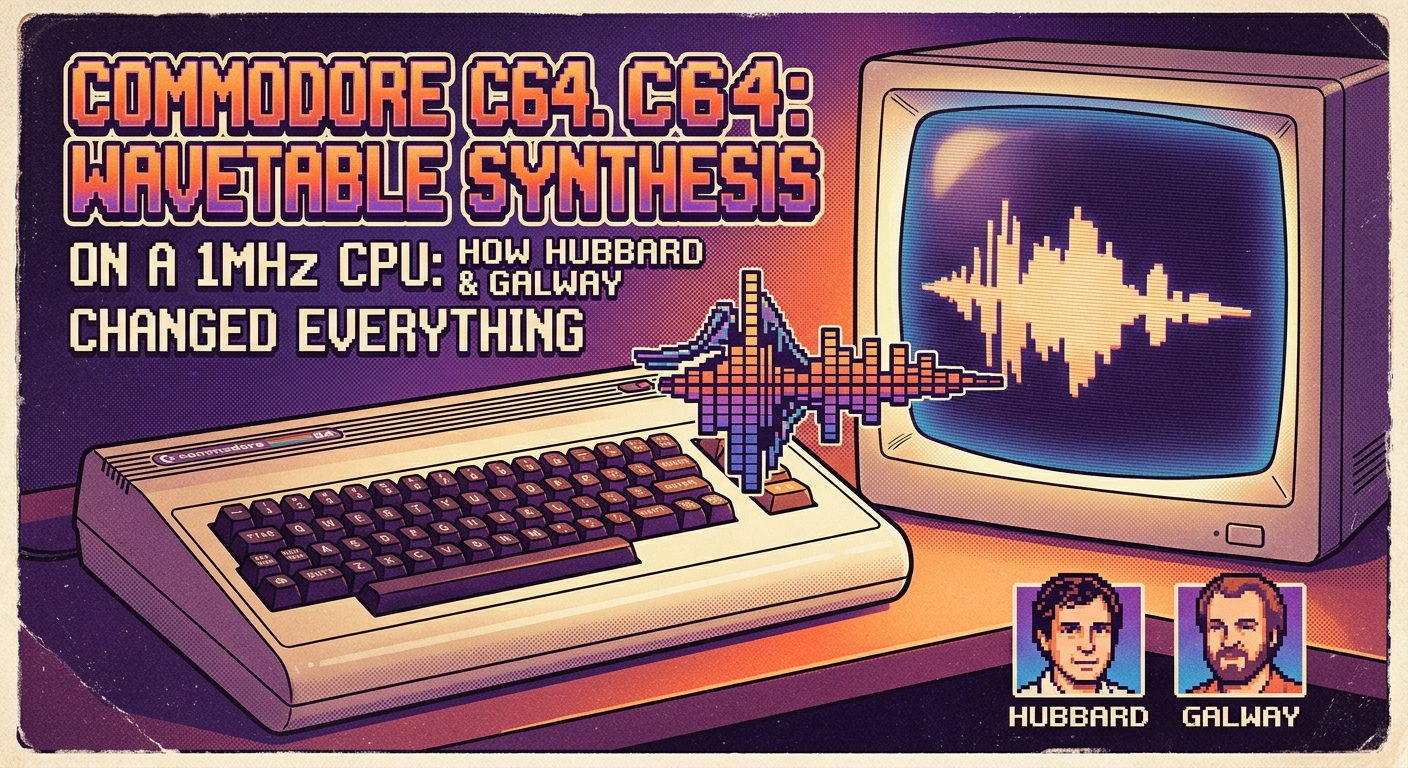
    Commodore C64: Wavetable Synthesis on a 1MHz CPU: How Hubbard and Galway changed everything

    # Wavetable Synthesis on a 1MHz CPU: How Hubbard and Galway Rewrote the Rules of the C64

    To the uninitiated, the Commodore 64’s **MOS Technology 6581 SID (Sound Interface Device)** chip is a relic of 8-bit chiptune nostalgia. To the seasoned systems engineer or audio enthusiast, it is a masterpiece of constrained design.

    In the mid-80s, the “Sound Gods”—**Rob Hubbard** and **Martin Galway**—didn’t just write music for the C64; they performed a feat of systems engineering that pushed a 1MHz MOS 6510 CPU to its absolute physical limits. They pioneered **software-driven wavetable synthesis** on hardware that, by all logic, shouldn’t have been able to handle it.

    ## The Bottleneck: 1MHz and 64KB of RAM

    Before we dive into the synthesis, let’s frame the environment. We are working with a **1MHz clock speed**. That’s 1,000,000 cycles per second. A standard “play” routine had to execute within a single vertical blanking interrupt (roughly 1/50th or 1/60th of a second).

    If your music routine took too long, the game engine starved, or worse, the audio jittered into digital noise. Hubbard and Galway didn’t have the luxury of multi-threading or hardware buffers. They had to achieve complex polyphony and timbre modulation using raw, cycle-counted assembly code.

    ## The Innovation: Wavetable Synthesis

    The SID chip was primitive by design: three oscillators, each capable of generating pulse, sawtooth, triangle, or noise waveforms. That’s it. If you wanted a “real” instrument—a cello, a slap bass, or a crisp percussion hit—you had to synthesize it.

    Hubbard and Galway bypassed the SID’s static waveforms by implementing **Wavetable Synthesis via software updates**.

    ### How they did it:

    1. **High-Frequency Parameter Modulation:** Instead of playing a single note, they wrote loops that rapidly cycled through the SID’s **Pulse Width Modulation (PWM)** and **Filter Cutoff** registers.

    2. **Lookup Tables:** They stored digital “snapshots” of amplitude envelopes in memory. Every frame, the CPU would fetch the next value from the table and push it to the SID’s registers.

    3. **Vibrato and Envelopes:** By manipulating the `ADSR` (Attack, Decay, Sustain, Release) registers dynamically—rather than setting them once per note—they created the illusion of evolving, organic textures.

    It wasn’t just “playing” the chip; it was **clock-locking the CPU to the SID.** Every single machine cycle was accounted for. If a drum hit required a specific frequency sweep, they calculated exactly how many instructions it would take to shift the oscillator frequency, often unrolling loops to ensure the timing remained rock-solid.

    ## Why this changed everything

    Before Hubbard’s *Sanxion* or Galway’s *Wizball*, C64 music was static—simple melodies with square-wave backings.

    Hubbard and Galway introduced **”Orchestral Sequencing.”** They treated the SID like a digital sampler. By rapidly iterating through volume levels and filter states, they synthesized the grit of a distorted electric guitar or the punch of a gated-reverb snare drum.

    This was the 8-bit equivalent of what we now call **Digital Signal Processing (DSP)**. They were essentially creating a software-defined synthesizer running on an underpowered, single-core processor.

    ## The Legacy for System Administrators

    Why does this matter to us, the folks managing modern Linux infrastructure?

    It’s a lesson in **Resource Management**.

    * **Optimization is an art form:** When you’re dealing with high-frequency trading platforms or low-latency kernel tuning, the principles are identical: minimize interrupts, avoid context switching, and keep your hot paths in the cache (or in this case, page-zero RAM).

    * **Constraint breeds innovation:** Hubbard and Galway proved that if you understand the underlying architecture at the register level, you can make hardware do things the manufacturer never intended.

    ## Closing Thoughts

    The next time you’re tuning a kernel parameter to squeeze an extra 5% of performance out of a server, remember the 1MHz limit of the C64. Rob Hubbard and Martin Galway didn’t have `perf` or `strace`. They had a hex monitor, a stack of blank paper, and the sheer audacity to treat a toy computer like a professional studio workstation.

    They didn’t just play the SID; they programmed it to sing.

    ***

    *For those interested in exploring these routines, I highly recommend checking out the source code for the **[Hubbard/Galway music drivers on GitHub](https://github.com/c64-projects)** to see the cycle-counting assembly in all its glory. It’s a masterclass in low-level engineering.*

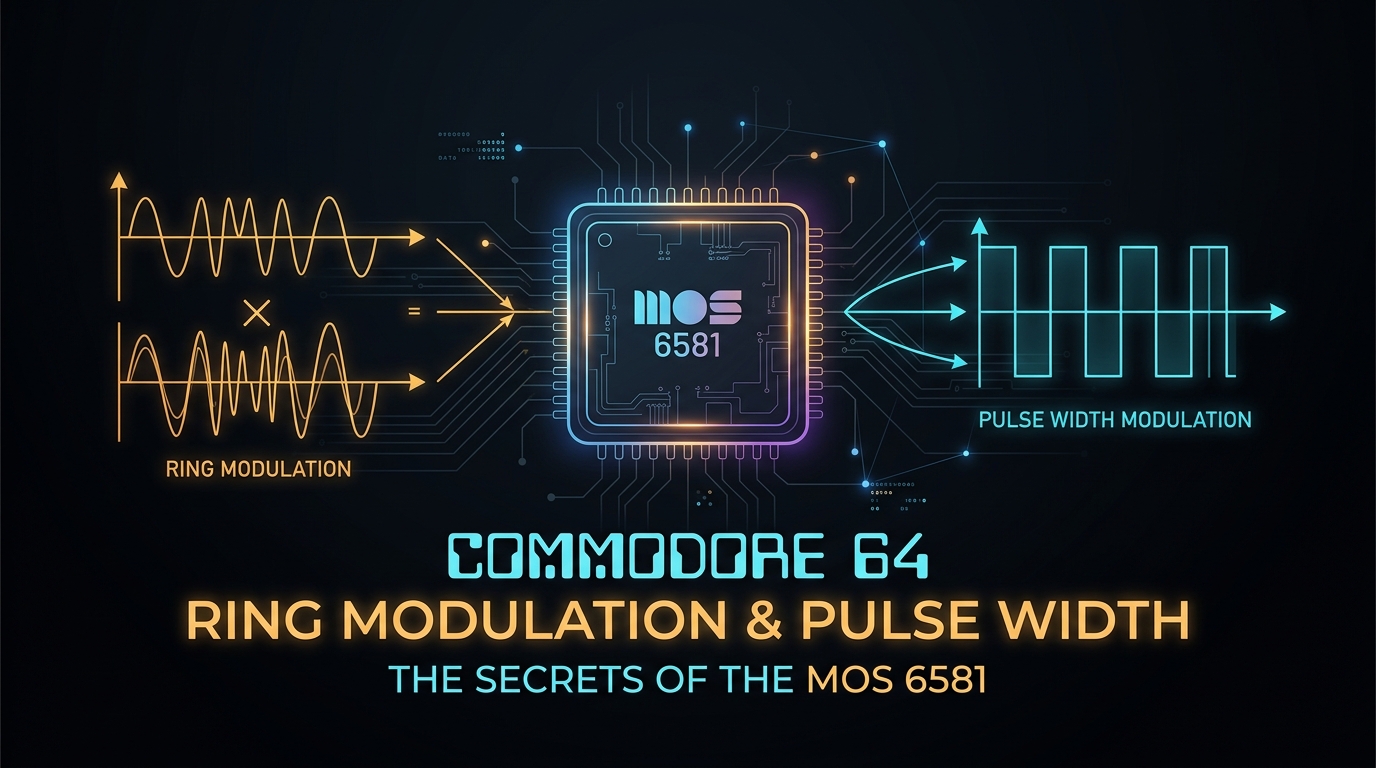
  • Commodore 64: Ring Modulation and Pulse Width: The Secrets of the MOS 6581

    Commodore 64: Ring Modulation and Pulse Width: The Secrets of the MOS 6581

    # The Silicon Soul of Synth: Demystifying the MOS 6581 SID Chip

    If you’ve spent any time in the trenches of retro-computing or chiptune synthesis, you know that the **MOS Technology 6581 Sound Interface Device (SID)** isn’t just a sound chip—it’s a musical instrument in its own right.

    While modern VSTs use high-fidelity samples to emulate the Commodore 64, they often miss the “grit” caused by the physical implementation of the chip’s analog circuitry. Today, we’re going to peel back the layers of the SID to look at two of its most iconic features: **Pulse Width Modulation (PWM)** and **Ring Modulation**.

    ## 1. Pulse Width Modulation (PWM): Shaping the Square

    On most synthesizers, a square wave is static. On the 6581, the pulse wave is dynamic. The SID allows you to define the “duty cycle” of the waveform (the ratio of the high pulse to the low pulse) via a 12-bit register (`PW`).

    ### The Technical “Why”

    The SID generates its waveforms using an analog-to-digital-to-analog process. When you adjust the Pulse Width, you aren’t just changing a parameter in software; you are modulating the threshold at which the waveform transitions from high to low.

    * **The “Hollow” Sound:** At a 50% duty cycle, you get the classic hollow, woody square wave sound.

    * **The “Thin” Sound:** As you deviate from 50% (toward 0% or 100%), the waveform becomes narrower, introducing a rich harmonic structure—specifically, odd-numbered harmonics that give the C64 its trademark “nasal” or “string-like” bite.

    **System Admin Tip:** If you’re looking to emulate this in software, don’t use a standard oscillator. You need to model the slight phase-alignment drift that occurs when the SID’s pulse width changes rapidly. That subtle instability is exactly what separates “digital sterile” from “C64 authentic.”

    ## 2. Ring Modulation: The Sound of Chaos

    If you’ve ever wondered why some C64 tracks sound like metallic, atonal bell-chimes or aggressive, distorted growls, you are hearing **Ring Modulation**.

    In the SID architecture, Ring Modulation is a bit of a “hack.” When enabled, the bit-output of Oscillator 3 is routed to the frequency-control input of Oscillator 1 (or 2). Essentially, the waveform of Osc 3 “chops” the waveform of Osc 1.

    ### The Math Behind the Madness

    Ring modulation is technically **Balanced Modulation**. If you take frequency $f_1$ and modulate it with $f_2$, you don’t get the original frequencies; you get the **sum and difference** ($f_1 + f_2$ and $f_1 – f_2$).

    Because the SID’s oscillators aren’t perfectly synced and possess slight analog jitter, the sidebands generated by Ring Mod are often non-integer harmonics. This results in:

    * **Atonality:** Perfect for sci-fi sound effects and percussion.

    * **Metallic Timbre:** The “Inharmonic” nature of the output mimics the physical vibration of metal plates or bells.

    **Pro-tip for Chiptune Producers:** To get that “evil” growl, set Osc 3 to a high frequency (or noise) and enable Ring Modulation on Osc 1. Keep Osc 3’s volume at 0—you only need its waveform cycle to gate Osc 1. This keeps the output clean while maximizing the harmonic distortion.

    ## The “Analog” Reality

    The reason the MOS 6581 remains a legend is that it wasn’t a pure digital synthesizer. Bob Yannes (the SID’s architect) designed it with an analog filter and control voltage (CV) elements that leaked, bled, and distorted in ways that were never intended.

    When you push the 6581’s filters into resonance, the feedback loop interacts with the digital output stages, causing a nonlinear saturation that modern code struggles to replicate perfectly.

    ### Why this matters for us?

    Whether you’re managing a cluster of servers or composing a soundtrack for a retro-styled project, the MOS 6581 is a masterclass in **constrained creativity**. It teaches us that limitations—be it in hardware throughput or audio synthesis—often force the most ingenious engineering solutions.

    **Next time you fire up a C64 emulator, don’t just listen to the music. Think about the transistors flipping, the voltage shifting, and the beautiful, imperfect math happening in the silicon.**

    *Keep hacking, keep tuning, and keep the SID alive.*

    *Questions about bit-banging the 6581 registers? Drop a comment below.*

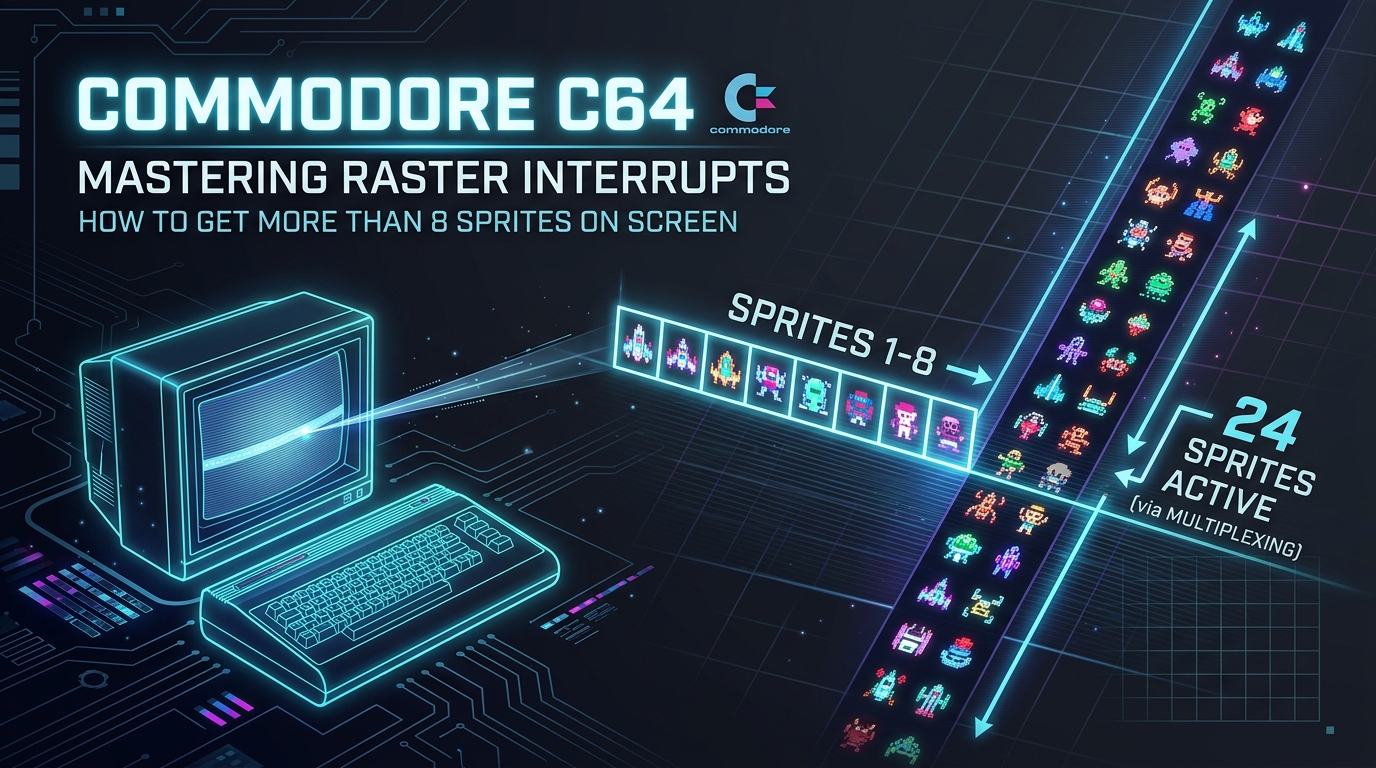
  • Commodore C64: Mastering Raster Interrupts: How to get more than 8 Sprites on Screen

    Commodore C64: Mastering Raster Interrupts: How to get more than 8 Sprites on Screen

    # Mastering the VIC-II: Multiplexing Sprites on the Commodore 64

    As a Linux SysAdmin, I spend most of my day managing context switches, process scheduling, and interrupt latency. It is fascinating to realize that the foundations of these concepts were being pushed to their absolute physical limits by bedroom coders in the 1980s.

    Today, we’re looking at one of the most iconic “hacks” in retrocomputing: **Sprite Multiplexing**.

    On a Commodore 64, the VIC-II (Video Interface Chip) is hardwired to display exactly 8 sprites. If you want more, you have to play a game of “beat the electron beam.”

    ### The Architecture: Why only 8?

    The VIC-II chip manages 8 hardware sprite registers. These registers define the X/Y coordinates, shape pointer, and color for each sprite. Once the beam passes the bottom of a sprite, the hardware is finished with it.

    To break the limit, we use a **Raster Interrupt**. This allows us to “reprogram” a sprite’s coordinates mid-frame, effectively moving a sprite to a new location before the electron beam draws that part of the screen.

    ### The Mechanism: Raster Interrupts

    In Linux, we think of interrupts as hardware signals forcing the CPU to handle an I/O event. On the C64, the VIC-II can trigger an interrupt when the electron beam reaches a specific raster line.

    1. **Wait for the Beam:** We tell the VIC-II, “Hey, trigger an interrupt at line $Y$.”

    2. **The Context Switch:** The CPU jumps to our Interrupt Service Routine (ISR).

    3. **The Payload:** We update the VIC-II registers (Sprite X/Y) to move the “used” sprite to a new position further down the screen.

    4. **The Hand-off:** We set the next interrupt trigger for the next set of sprites.

    5. **Return:** `RTI` (Return from Interrupt).

    ### Conceptual Pseudo-code

    If you were writing this in Assembly, your ISR would look something like this:

    asm

    ; — Raster Interrupt Service Routine —

    irq:

    lda #$30 ; Load the Y-coordinate for the next sprite group

    sta $d012 ; Set the next raster trigger

    lda #$a0 ; New Y position for sprite 0

    sta $d001 ; Update VIC-II register

    lda #$b0 ; New Y position for sprite 1

    sta $d003 ; Update VIC-II register

    asl $d019 ; Acknowledge the interrupt

    jmp $ea31 ; Jump to standard KERNAL IRQ handler

    ### The “Gotchas” (Or: Why your sprites flicker)

    Multiplexing isn’t free. As a sysadmin, you’ll recognize these as **race conditions**:

    * **The Critical Window:** You have a very narrow time window to update the registers. If your code takes too long to execute (or if another interrupt interferes), you miss the “blanking” period. This results in visual jitter or “tearing” where the sprite jumps between two positions.

    * **The Y-Coordinate Limit:** You cannot update a sprite’s Y-coordinate to a value *above* the current raster line. If you try to move a sprite to a line the beam has already passed, the sprite will vanish or glitch until the next frame.

    * **Sorting:** To make this work smoothly, you must sort your sprite objects by Y-coordinate. You handle the top-most sprites first, then reconfigure for the ones below.

    ### Why does this matter?

    Modern computing hides these constraints behind abstraction layers, schedulers, and GPU drivers. But the principles remain identical:

    * **Interrupt Latency:** If your ISR is too slow, you drop frames.

    * **Resource Scheduling:** You are multiplexing a limited hardware resource (8 registers) across a larger set of processes (dozens of sprites).

    * **Deterministic Timing:** Much like high-frequency trading or real-time kernel patches (`PREEMPT_RT`), you are chasing microsecond-level precision.

    ### Final Thoughts

    The C64’s VIC-II doesn’t have a “multi-tasking” OS. It is a raw piece of silicon that demands respect. Multiplexing sprites is essentially a manual implementation of a Time-Division Multiple Access (TDMA) protocol.

    Next time you’re optimizing a heavy database query or troubleshooting a load spike, remember the humble C64 programmer: they were doing “cloud-scale” resource management, 8 pixels at a time, at 1 MHz.

    **Happy Coding!**

  • Entertainment: 10 best TV series for sysadmins

    Entertainment: 10 best TV series for sysadmins

    The SysAdmin’s Must-Watch List: 10 Series That Get IT Right (or Hilariously Wrong)

    After a grueling week of kernel panics, failed RAID arrays, and troubleshooting mysterious packet loss at 3:00 AM, the last thing many of us want to do is stare at more code. However, there is a certain cathartic pleasure in watching the chaotic, often absurd, and sometimes surprisingly accurate portrayal of our profession on screen. Whether you are looking for a realistic deep dive into the industry or just want to laugh at how Hollywood interprets “hacking,” this list is curated for the seasoned Linux System Administrator.

    1. Mr. Robot (USA Network)

    If you watch only one show on this list, make it Mr. Robot. This is the gold standard. It is the only series that portrays Linux commands, social engineering, and actual exploitation techniques with genuine reverence for the craft. Elliot Alderson uses Kali Linux, understands file permissions, and speaks to the isolation of the sysadmin lifestyle. It captures the reality that the most vulnerable component of any system is the human element.

    2. The IT Crowd (Channel 4)

    While Mr. Robot is the drama, The IT Crowd is the religion. It is the quintessential sitcom for anyone who has ever had to ask, “Have you tried turning it off and on again?” It perfectly captures the systemic disdain corporate management often has for IT, and the bunker mentality required to survive a basement office.

    3. Halt and Catch Fire (AMC)

    A masterpiece for those who appreciate the history of computing. Set in the 1980s and 90s, it covers the PC revolution, the rise of the internet, and the birth of open-source philosophy. It’s a drama about the soul of engineering—the struggle between proprietary greed and the vision of collaborative, universal access to information.

    4. Silicon Valley (HBO)

    This show is essentially a documentary disguised as a comedy. It captures the absurdity of venture capital, the crushing pressure of “scaling,” and the technical debt that accumulates when you build a platform on a whim. The “Middle-out” compression algorithm arc is legendary among data engineers.

    5. Severance (Apple TV+)

    A psychological thriller that hits home for any remote sysadmin working in a siloed environment. It explores the extreme version of work-life balance. For the admin managing isolated, air-gapped systems or secure enclaves, the sterile, repetitive nature of the show will feel hauntingly familiar.

    6. Devs (FX/Hulu)

    Alex Garland’s masterpiece deals with quantum computing, deterministic systems, and the implications of absolute data control. It is visually stunning and asks the questions that keep senior engineers up at night: If we have enough data and enough compute, is the future just a solved equation?

    7. Chernobyl (HBO)

    Why is a disaster miniseries on a sysadmin list? Because Chernobyl is the greatest masterclass on “system failure” ever filmed. It details how design flaws are covered up, how bureaucrats ignore warnings from engineers, and the catastrophic cost of lying to the system. Every sysadmin should watch this to understand why “we’ll fix it in the next sprint” can eventually lead to a meltdown.

    8. Halt and Catch Fire (AMC) – Repeat Mention

    Yes, it deserves a second mention. It’s the only show that correctly identifies that the people who build the machines are often the most complex characters in the room.

    9. Black Mirror (Netflix)

    An anthology of technical nightmares. It’s a warning label for the future. From algorithmic bias to digital immortality, it highlights the ethical pitfalls of the technologies we currently deploy. It is the cautionary tale of what happens when we prioritize “can we do this?” over “should we do this?”

    10. Dark (Netflix)

    If you enjoy debugging complex, non-linear problems, Dark is the ultimate puzzle. Its internal logic is incredibly strict, mirroring the complexity of debugging a massive, distributed system where one change in the past (or a legacy configuration) ripples out to break the entire present state.


    Bonus: Automating Your Media Backup (The SysAdmin Way)

    Since we are talking about entertainment, as a sysadmin, you shouldn’t just rely on streaming services. You need a robust, off-site backup for your personal media library. Here is a production-grade script to synchronize your local media directory to a remote server using rsync.

    Prerequisites

    • SSH keys configured for passwordless authentication to the target server.
    • rsync installed on both source and destination machines.

    The Backup Script

    #!/bin/bash
    

    # Description: Automated rsync backup for media library

    # Author: Senior SysAdmin

    # Exit on error

    set -e

    # Configuration

    SOURCE_DIR="/mnt/data/media/"

    DEST_USER="backup_user"

    DEST_HOST="remote-storage.local"

    DEST_DIR="/backups/media/"

    LOG_FILE="/var/log/media_backup.log"

    # Timestamping for logs

    TIMESTAMP=$(date +"%Y-%m-%d %H:%M:%S")

    echo "[$TIMESTAMP] Starting backup..." >> "$LOG_FILE"

    # The rsync command

    # -a: archive mode, -v: verbose, -z: compress, -e: specify ssh

    rsync -avz -e ssh "$SOURCE_DIR" "$DEST_USER@$DEST_HOST:$DEST_DIR" >> "$LOG_FILE" 2>&1

    if [ $? -eq 0 ]; then

    echo "[$TIMESTAMP] Backup completed successfully." >> "$LOG_FILE"

    else

    echo "[$TIMESTAMP] Backup FAILED!" >> "$LOG_FILE"

    exit 1

    fi

    Restoration Guide

    In the event of local hardware failure, restoration is trivial. Since the backup uses rsync in archive mode, you simply flip the source and destination paths in the command above:

    rsync -avz -e ssh backup_user@remote-storage.local:/backups/media/ /mnt/data/media/

    Edge Cases to Consider

    • Network Interruption: If your network drops mid-sync, rsync handles it gracefully, but always verify the checksums using the -c flag for critical data.
    • Consistency: If you are moving files into the source directory while the script is running, use --partial to ensure incomplete files aren’t treated as finished.
    • Permissions: Ensure your backup_user has proper write permissions on the destination disk, or the process will fail on first contact.

    Stay curious, keep your kernels updated, and remember: if it isn’t backed up, it doesn’t exist.

  • Zombie Process Hunting: A Guide to reaping the undead in your Proximity

    Zombie Process Hunting: A Guide to reaping the undead in your Proximity

    Zombie Process Hunting: A Guide to Reaping the Undead in Your Linux Infrastructure

    In the ecosystem of Linux system administration, few things are as misunderstood as the “Zombie Process.” They appear in top or htop with the status Z, cluttering your process table, yet they consume virtually no CPU or memory. Many junior admins make the mistake of attempting to kill -9 them, only to find the process remains stubbornly present. Today, we peel back the curtain on why these processes exist, how to safely hunt them, and why the “reaping” process is fundamentally a matter of parent-child relationship management.

    Understanding the Zombie Lifecycle

    A zombie process (technically a “defunct” process) is a process that has completed execution but still has an entry in the process table. When a child process terminates, it sends a SIGCHLD signal to its parent. The parent is responsible for calling wait() to read the child’s exit status. Until the parent acknowledges this, the kernel retains the process’s PID and exit code—the “zombie” remains. The problem isn’t the zombie itself (which is already dead); the problem is usually a poorly coded parent process that fails to reap its children.

    Prerequisites for Investigation

    To follow this guide, you will need:

    • Root or sudo access to the target Linux host.
    • procps-ng package installed (standard on all major distros).
    • Basic familiarity with process signals and the process tree.

    Hunting the Undead

    Before taking action, you must identify the source. A zombie without a parent is usually a signal of a deeper architectural issue. Start by listing your zombies:

    ps aux | awk '{if ($8=="Z") print $0}'

    Once you locate the PID, identifying the parent is the next logical step:

    ps -o ppid= -p <ZOMBIE_PID>

    The “Reaper” Script

    In a production environment, you cannot afford to manually hunt every zombie. Below is a robust, production-grade script designed to identify defunct processes and report them—or attempt to re-parent them—safely.

    #!/bin/bash
    

    # Reaping script for defunct processes

    # Author: Senior Linux Admin

    set -o errexit

    set -o nounset

    set -o pipefail

    LOG_FILE="/var/log/zombie_reaper.log"

    log() {

    echo "$(date '+%Y-%m-%d %H:%M:%S') - $1" | tee -a "$LOG_FILE"

    }

    log "Starting zombie hunt..."

    # Identify Z processes and their Parents

    ZOMBIES=$(ps -eo pid,ppid,stat,cmd | awk '$3=="Z" {print $1, $2}')

    if [ -z "$ZOMBIES" ]; then

    log "No zombie processes found. Clean."

    exit 0

    fi

    while read -r PID PPID; do

    log "Found zombie PID: $PID (Parent: $PPID)"

    # Attempting to notify the parent via SIGHUP or SIGCHLD

    # CAUTION: Only send signals if you are certain the parent can handle it

    kill -s SIGCHLD "$PPID" 2>/dev/null || log "Warning: Could not signal parent $PPID"

    done <<< "$ZOMBIES"

    log "Zombie identification sequence complete."

    The “Hard” Reality: Edge Cases and Dangers

    There are scenarios where kill -9 is not only useless but dangerous:

    • The Parent is dead: If the parent process crashed or was killed, the zombie is “adopted” by PID 1 (init/systemd). Systemd is designed to reap these automatically. If they persist under PID 1, your init system is likely hung or in a broken state—rebooting is the only safe remediation.
    • Uninterruptible Sleep (D State): Do not confuse zombies (Z) with processes in uninterruptible sleep (D). A “D” process is waiting for I/O (disk, network, or NFS). Killing a parent process that is waiting on a hardware response can lead to kernel panics or filesystem corruption.
    • Database Consistency: Never attempt to force-reap processes belonging to a database engine (like MySQL or PostgreSQL). They manage their own child process pools; interfering with them can corrupt your data files.

    Restoration: When Things Go Wrong

    If you find that the zombie process is a result of a misbehaving service (e.g., a memory leak causing a parent to crash), follow this restoration hierarchy:

    1. Restart the Parent Service: systemctl restart <service_name>. This is the cleanest way to clear the parent’s state and release its children.
    2. Analyze Logs: Inspect journalctl -u <service_name>. If the parent is failing to reap, it is likely throwing an “Unhandled Signal” or “Segmentation Fault” error.
    3. Configuration Audit: If this is a custom application, check the source code. Are they using fork() without a corresponding waitpid() loop? Suggest a transition to a thread-pool model to avoid excessive process creation.
    4. Final Resort: If the zombie remains and system stability is compromised, schedule a maintenance window for a hard reboot. It is always better to bounce a node than to allow an unstable process tree to persist.

    Remember: In Linux, a zombie is a symptom, not the disease. Focus on the parent, ensure the application code is lifecycle-aware, and keep your process tables clean.